




Time:2025-03-20 Views:1
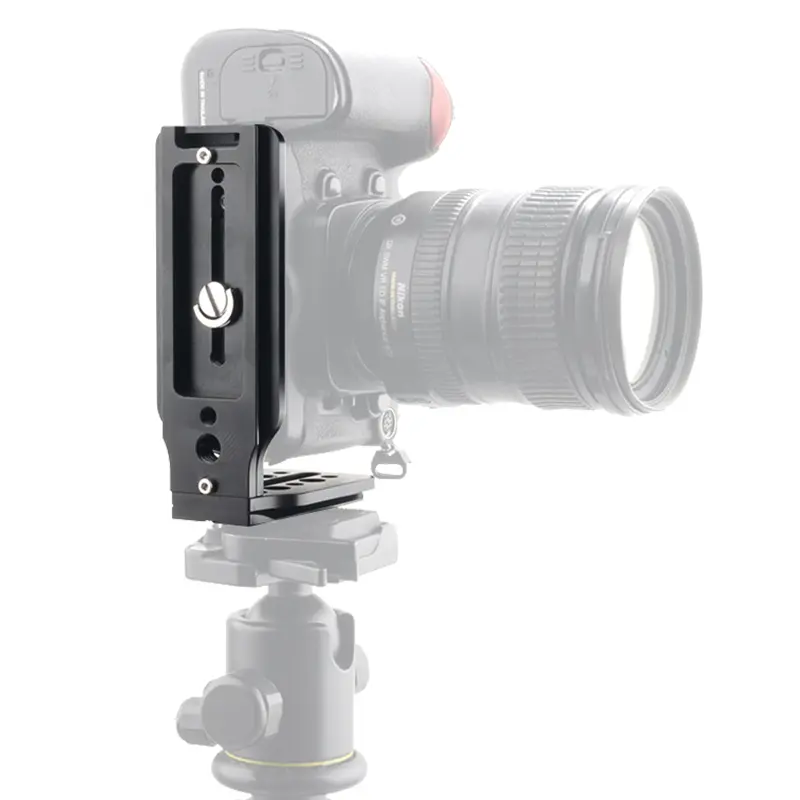
Installing a quick - release plate on a camera is a relatively straightforward process, but it's important to follow the correct steps to ensure a secure and stable connection. Here's a step - by - step guide on how to install a quick - release plate on your camera.
First, gather the necessary tools and components. You will need the quick - release plate itself, which should be compatible with your camera model, and a screwdriver if the plate requires screws for attachment. Some quick - release plates come with a set of screws specifically designed for different camera models.
Begin by turning off your camera to avoid any electrical issues during the installation process. Then, carefully examine the bottom of the camera. Look for the tripod - mounting hole, which is usually located in the center of the camera's base. This is the point where the quick - release plate will be attached.
If the quick - release plate you have is a screw - on type, align the holes on the plate with the tripod - mounting hole on the camera. Insert the screws through the plate's holes and into the camera's mounting hole. Use the screwdriver to gently tighten the screws. Make sure not to overtighten, as this could damage the camera's threads. A good rule of thumb is to tighten the screws until they are snug, but still allow for a slight bit of movement if needed for fine - tuning the plate's position.
For quick - release plates that use a clamping or locking mechanism instead of screws, the installation process is slightly different. First, place the quick - release plate on the bottom of the camera, aligning it with the tripod - mounting area. Some clamping - type plates have a lever or a knob that, when tightened, secures the plate to the camera. Operate the lever or turn the knob to tighten the clamp around the camera's base. Again, ensure that the plate is firmly attached but not overly tightened to avoid any damage.
Once the quick - release plate is attached to the camera, test the connection. Gently lift the camera by the quick - release plate to make sure it is securely fastened. There should be no wobbling or looseness. If you notice any instability, double - check the attachment and make any necessary adjustments.
It's also a good idea to familiarize yourself with the quick - release mechanism of the plate. Practice attaching and detaching the camera from the tripod or other support device using the quick - release feature. This will help you become more comfortable with the process and ensure that you can quickly and efficiently mount and dismount your camera in the field.
installing a quick - release plate on a camera is a simple yet important task that can greatly enhance your photography experience by making it easier to attach and detach your camera from support devices. By following these steps, you can ensure a proper and secure installation.
Read recommendations:
© 2024 Jiani Digital Technology Co., Ltd. All rights reserved Powered by Nbone


 Home >


